CASE STUDY 01 · AI-SAAS · B2B
Knownwell: client health, without the guesswork.
An AI platform that shows B2B services firms which clients are at risk, which are thriving and where to focus next. As the only designer, I took it from brief to a launch-ready prototype in two weeks.
Teams couldn’t see which clients were at risk.
Sole designer. Brief to launch-ready prototype in 2 weeks.
- Prototype the flow first
- Insight to action in one hover
- Blue over traffic lights
Tested with 50 people, who found it intuitive.
the problem
Leaders at services firms walk into client meetings without knowing which accounts need attention or why. The data exists, but it lives in too many places.
"Meetings turn into data scrambles rather than strategy sessions."
- Two weeksFrom brief to a prototype ready to show at launch.
- Four executive stakeholdersCEO, CMO, CTO and PM, each with a view on what mattered.
- No time for new researchI worked from the team's existing research.
- A vague visual brief"Modern. Wow. AI feeling."
my role
- Synthesized the team’s research into six pain points
- Defined launch features with the PM
- User flows and a clickable low-fi prototype
- The full UI and design system
- The requirements engineering built from
- Presenting and testing at launch
01UNDERSTAND
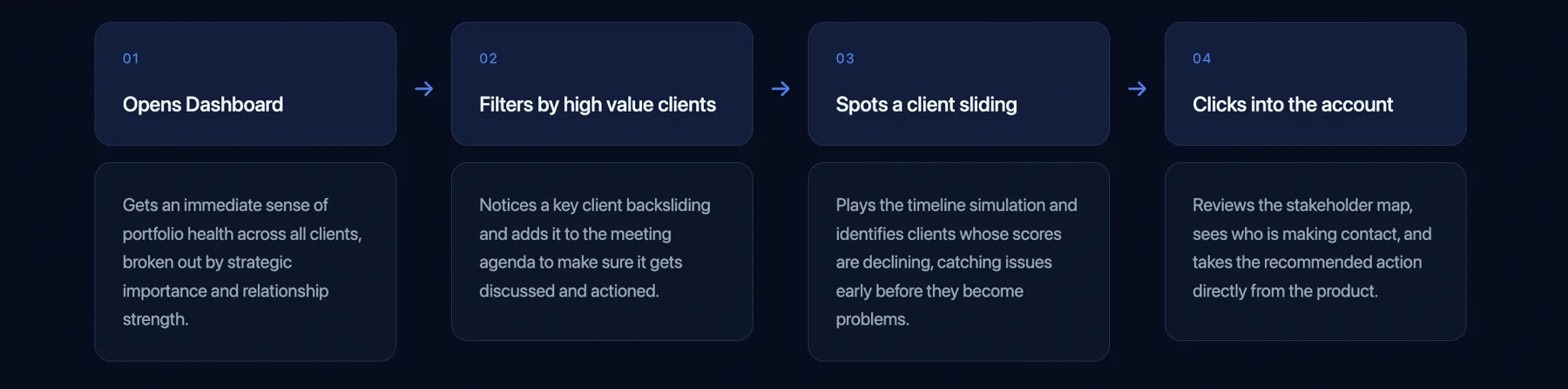
map the journey from data to action
With no time for new research, I turned the team’s findings into six pain points, then mapped with the PM how a leader should move from opening the dashboard to acting on a client.
02SKETCH
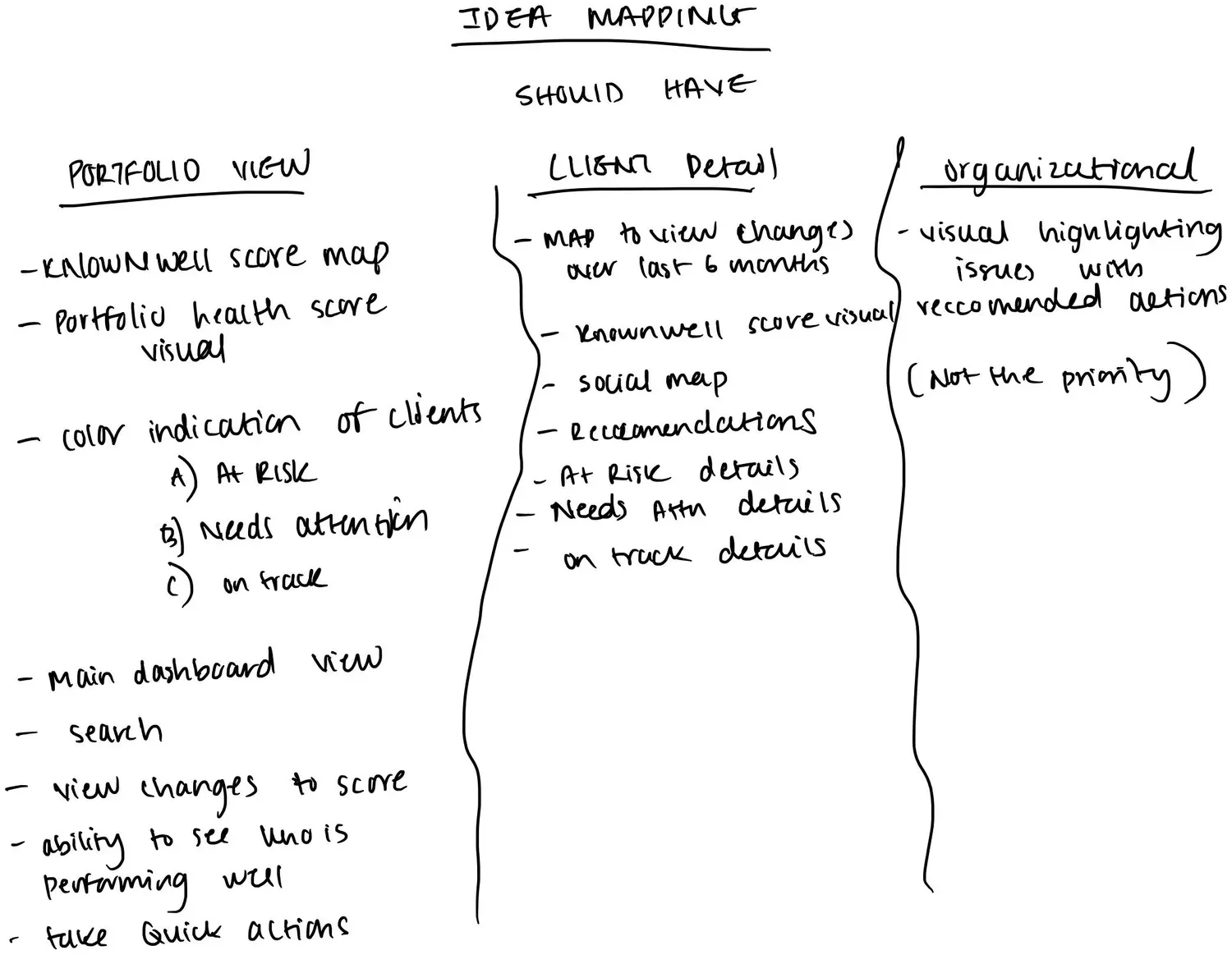
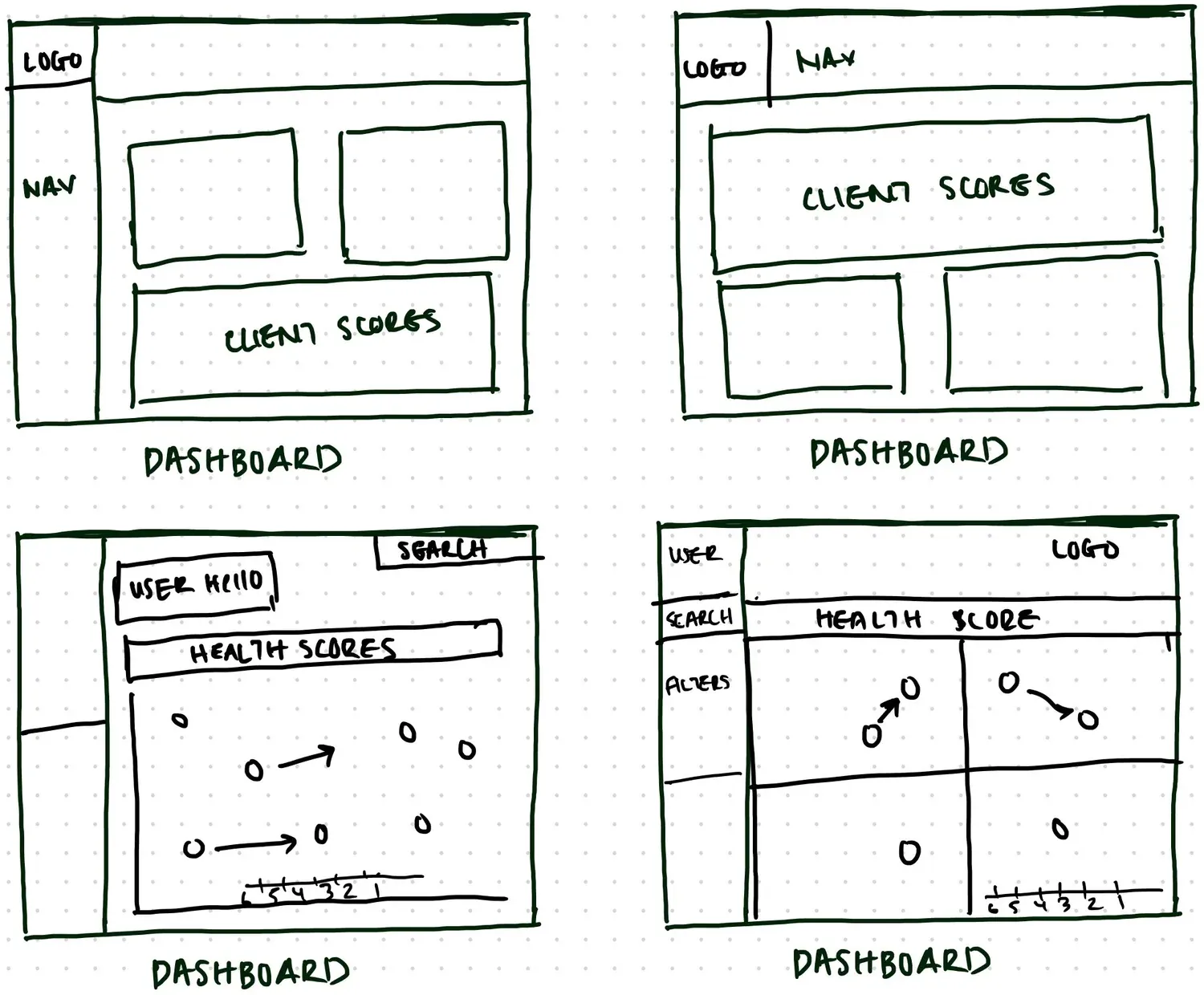
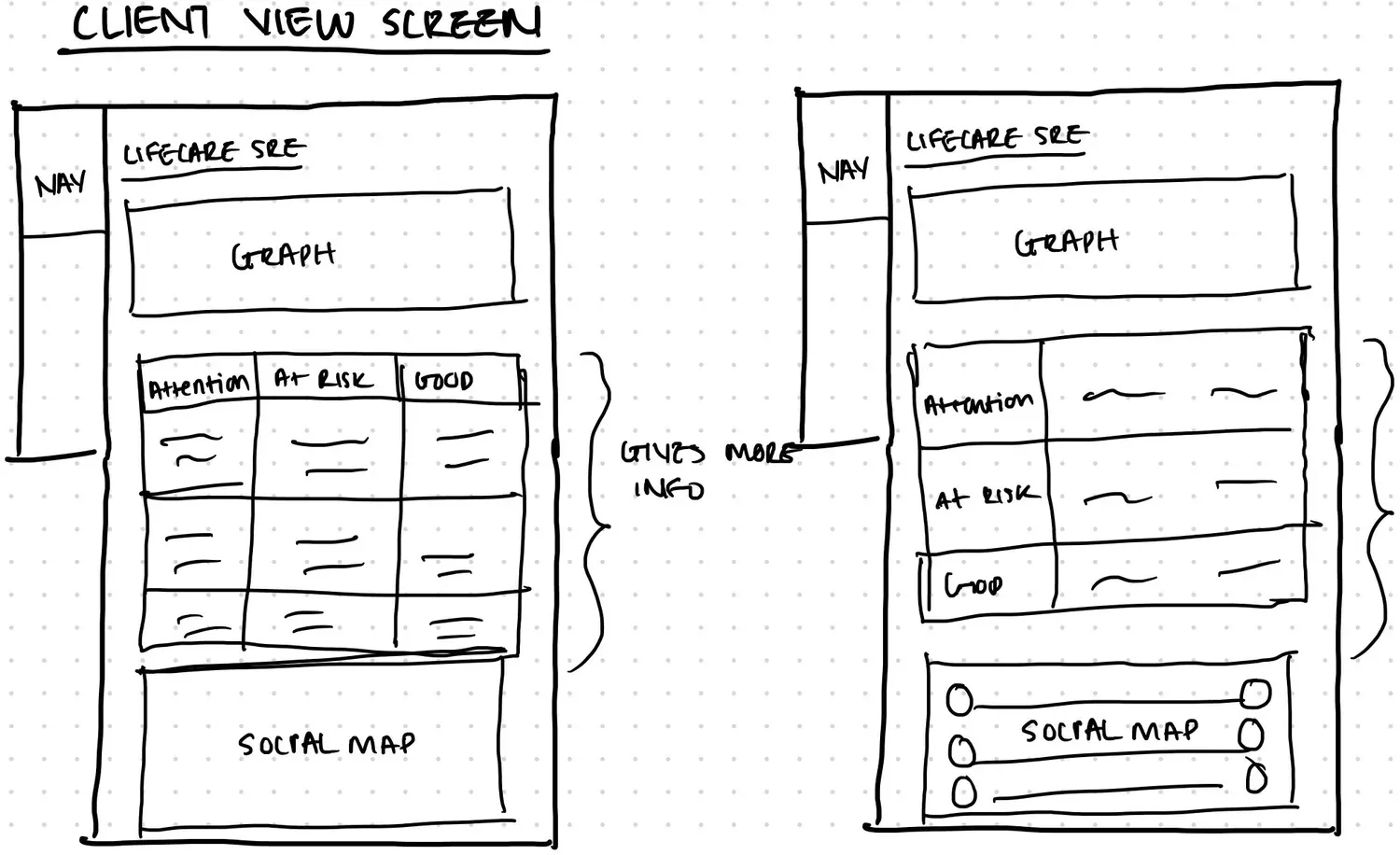
sketch the must-haves
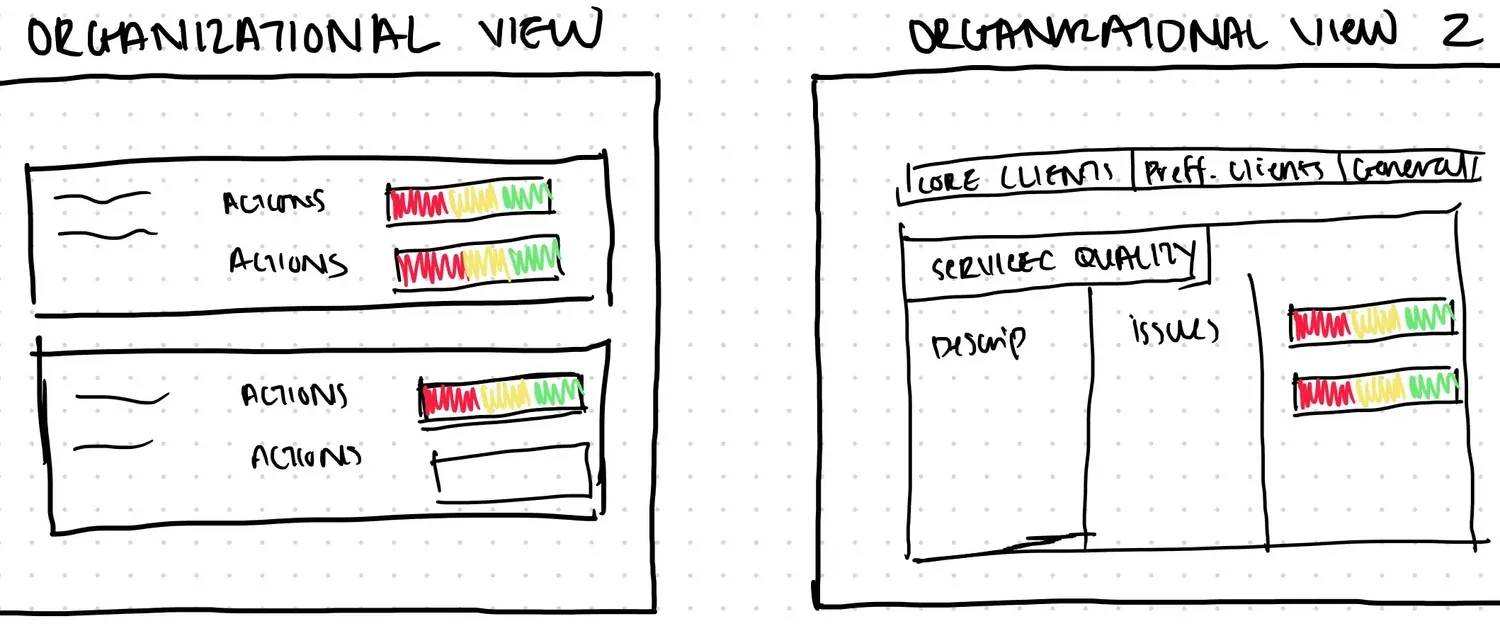
I listed what each view had to do, then sketched layouts fast so the team could react before anything was pixel-perfect.
03WIREFRAME
prove the flow before the pixels
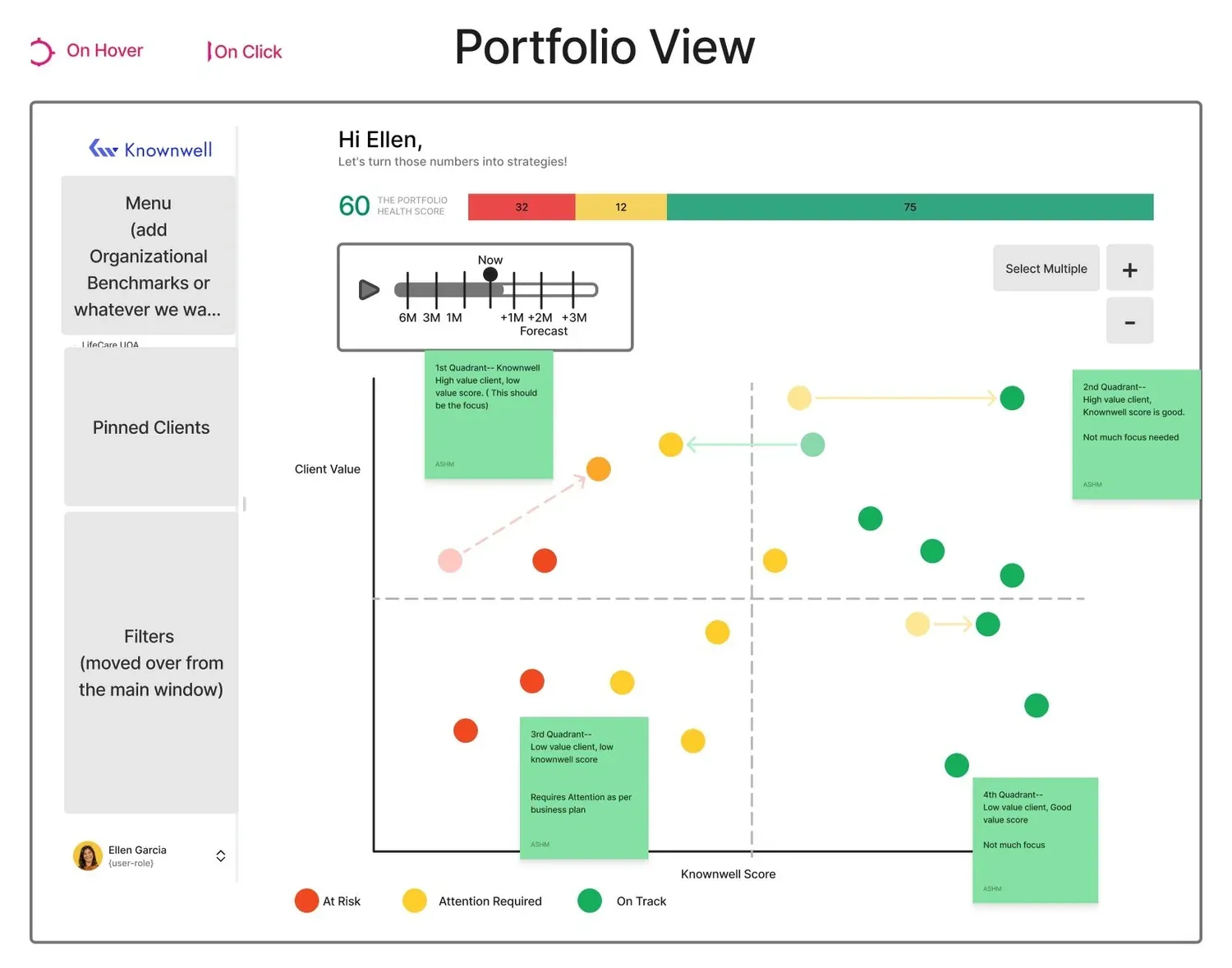
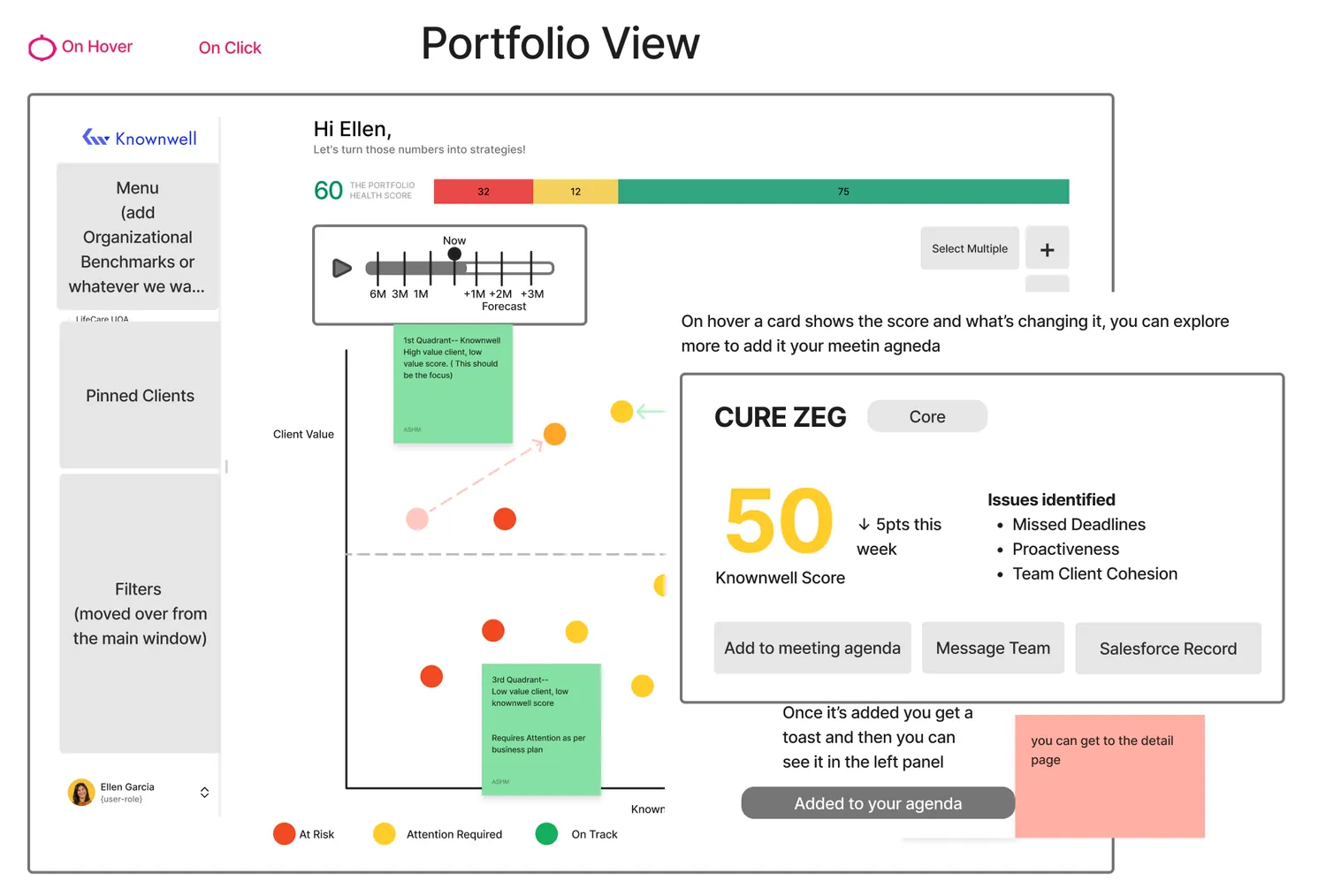
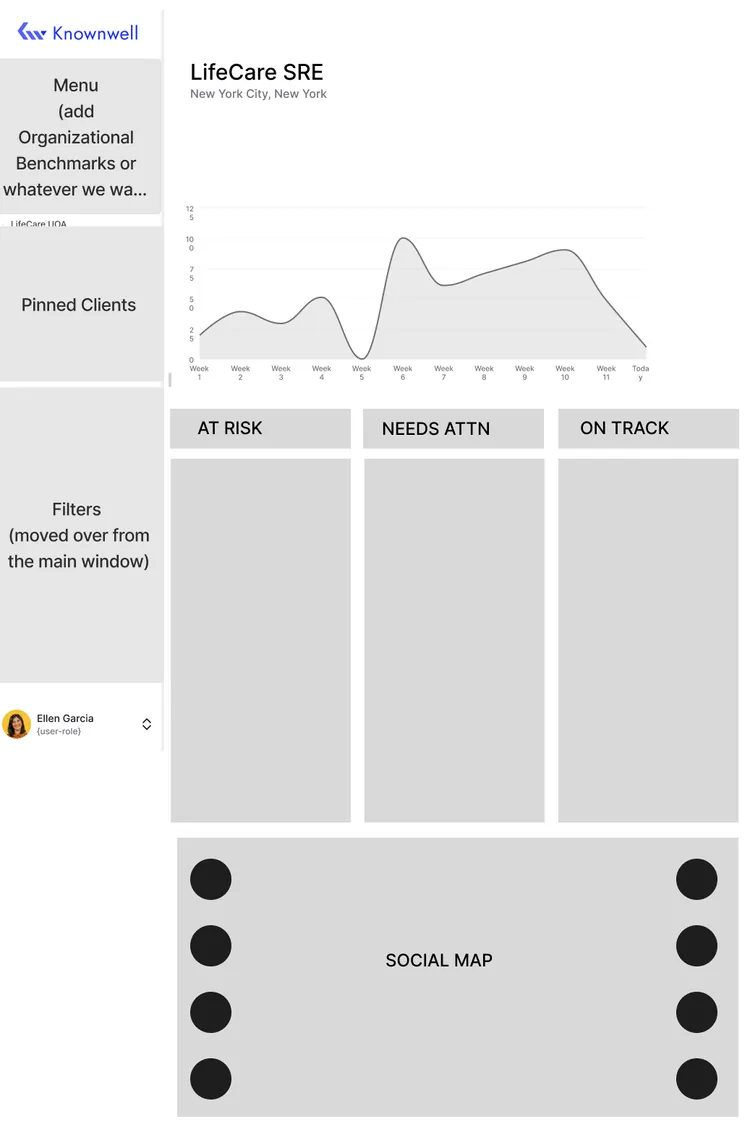
With four execs and two weeks, debating visuals early could sink the timeline. I built a clickable low-fi prototype first, so we agreed on structure before any visual work.
04FEEDBACK
iterate with the team
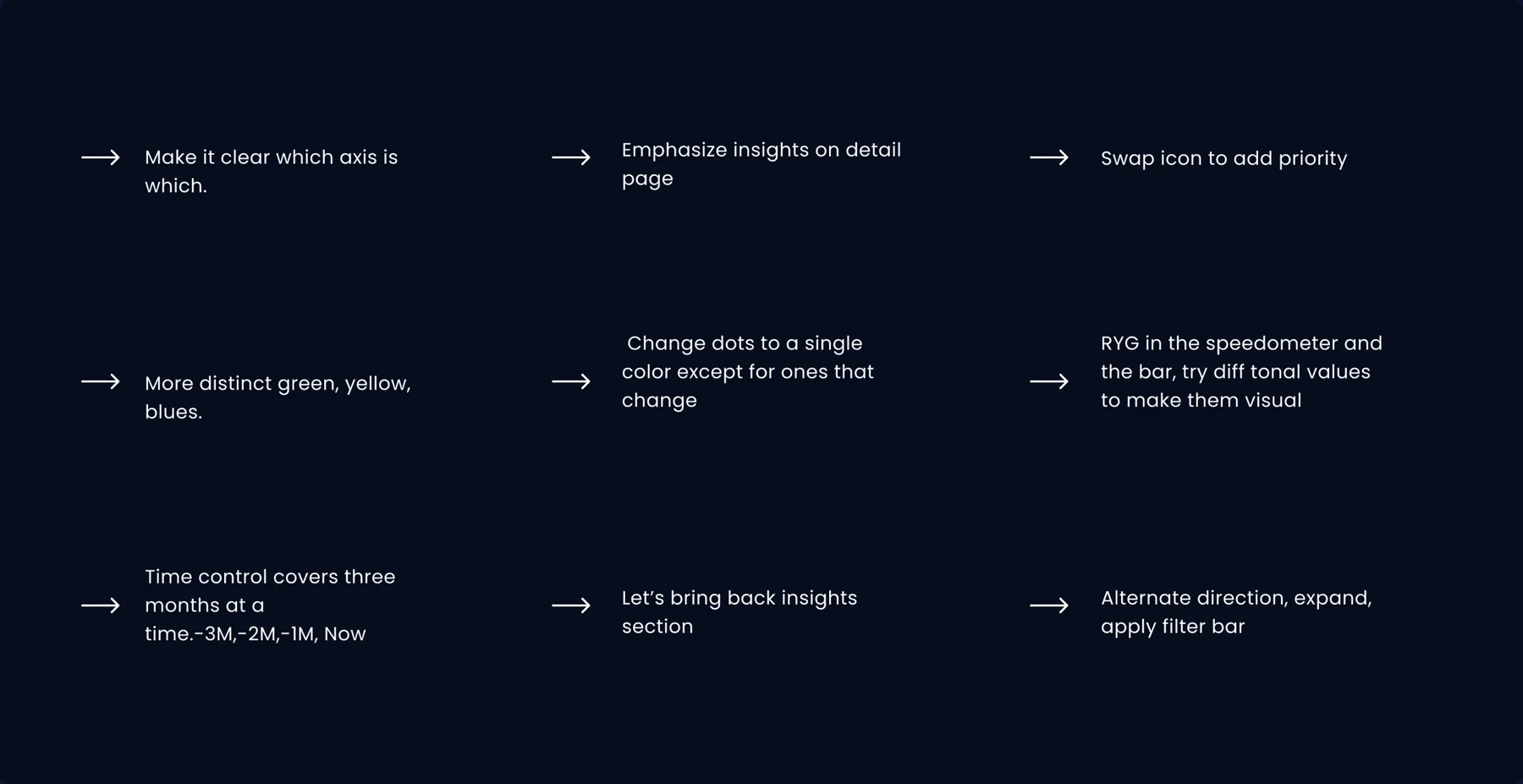
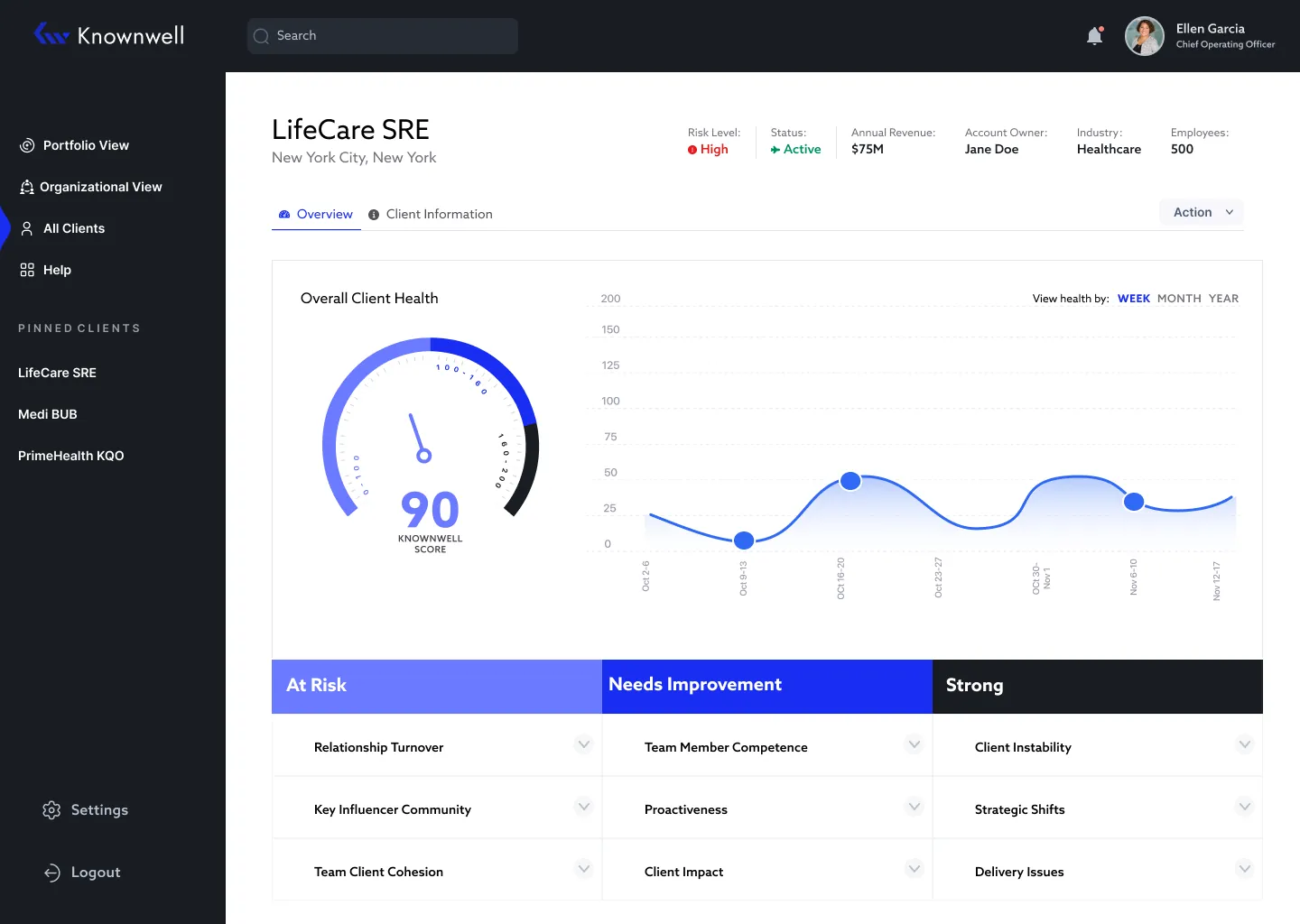
I collected feedback from all four stakeholders and answered each point in the design. The biggest change was colour.
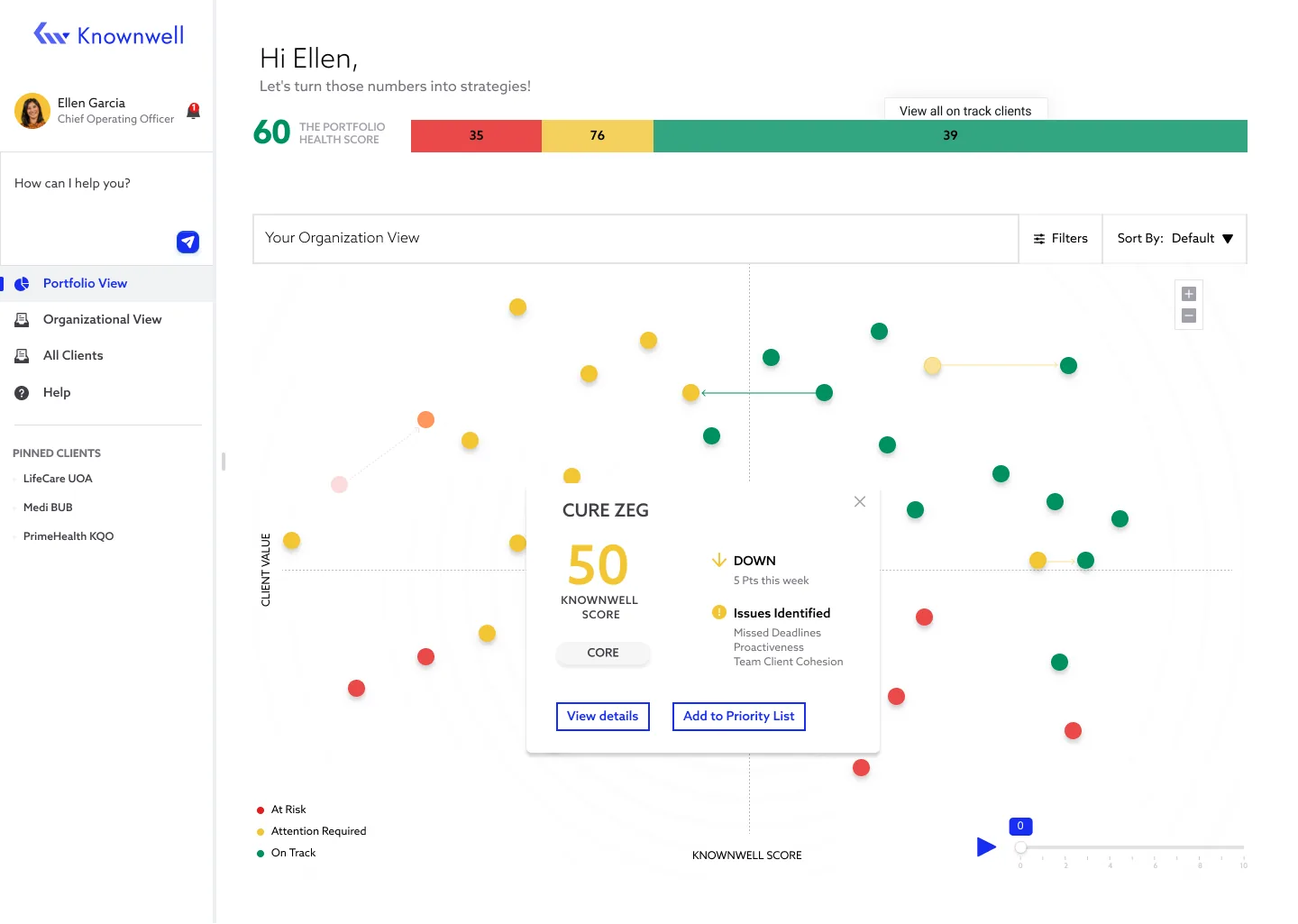
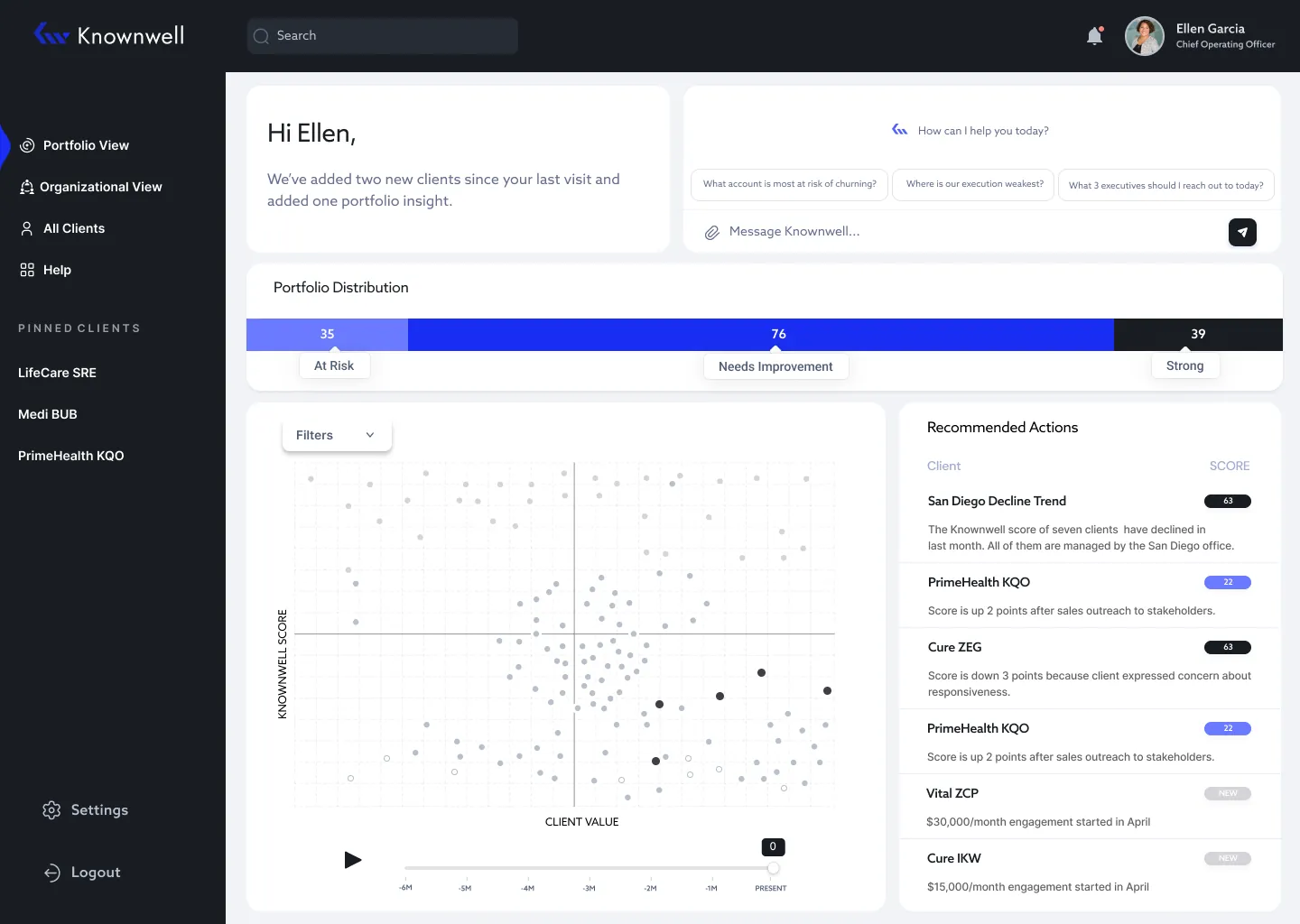
Blue over traffic lights, and owning the trade-off
- THE OPTIONS
- Familiar traffic-light colours, or a near-monotone blue that fit the "modern, AI" brief.
- WHAT I CHOSE
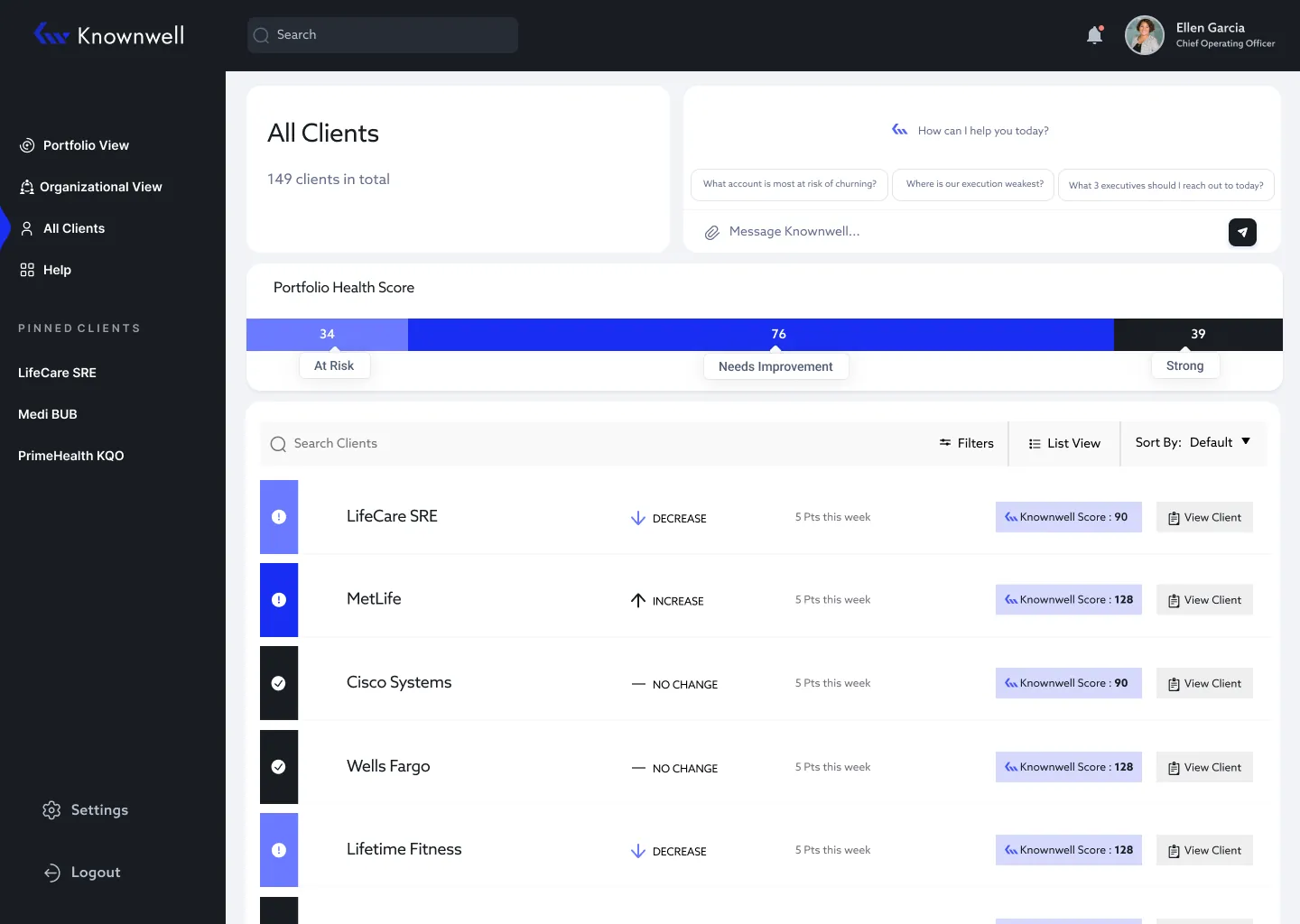
- Blue: calmer, on-brand and less like a generic dashboard.
- THE COST
- Colour alone doesn’t fully meet WCAG. Next, I’d add icons or labels.
05FINAL DESIGNS
final designs
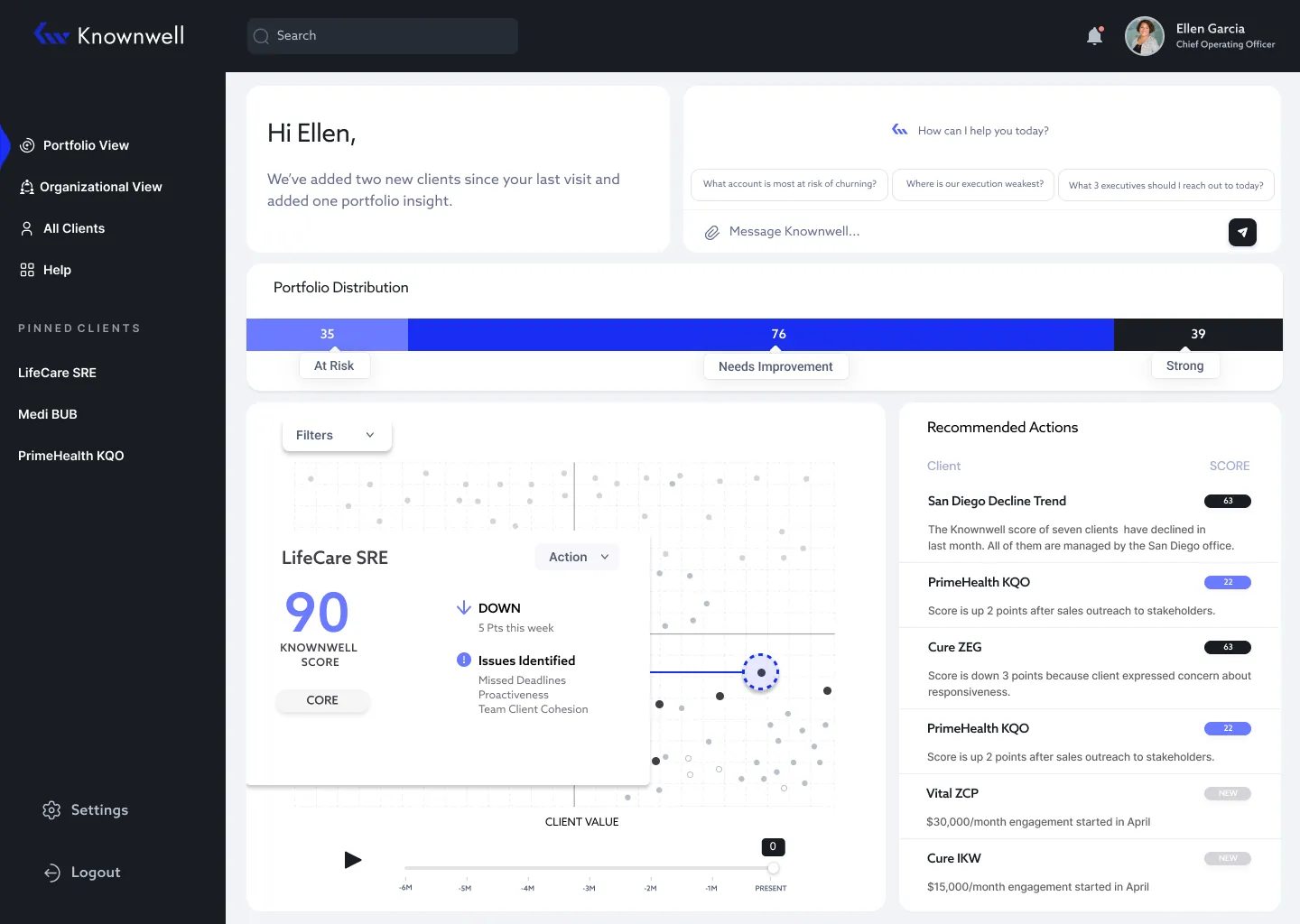
Turn every insight into an action, in one hover
- THE PROBLEM
- Leaders walk into status meetings without knowing which clients need attention or why.
- WHAT I DID
- Hover any client to see their score, what’s driving it, and a one-click "add to agenda."
- RESULT
- Testers’ favourite part: next steps right inside the product.
outcome
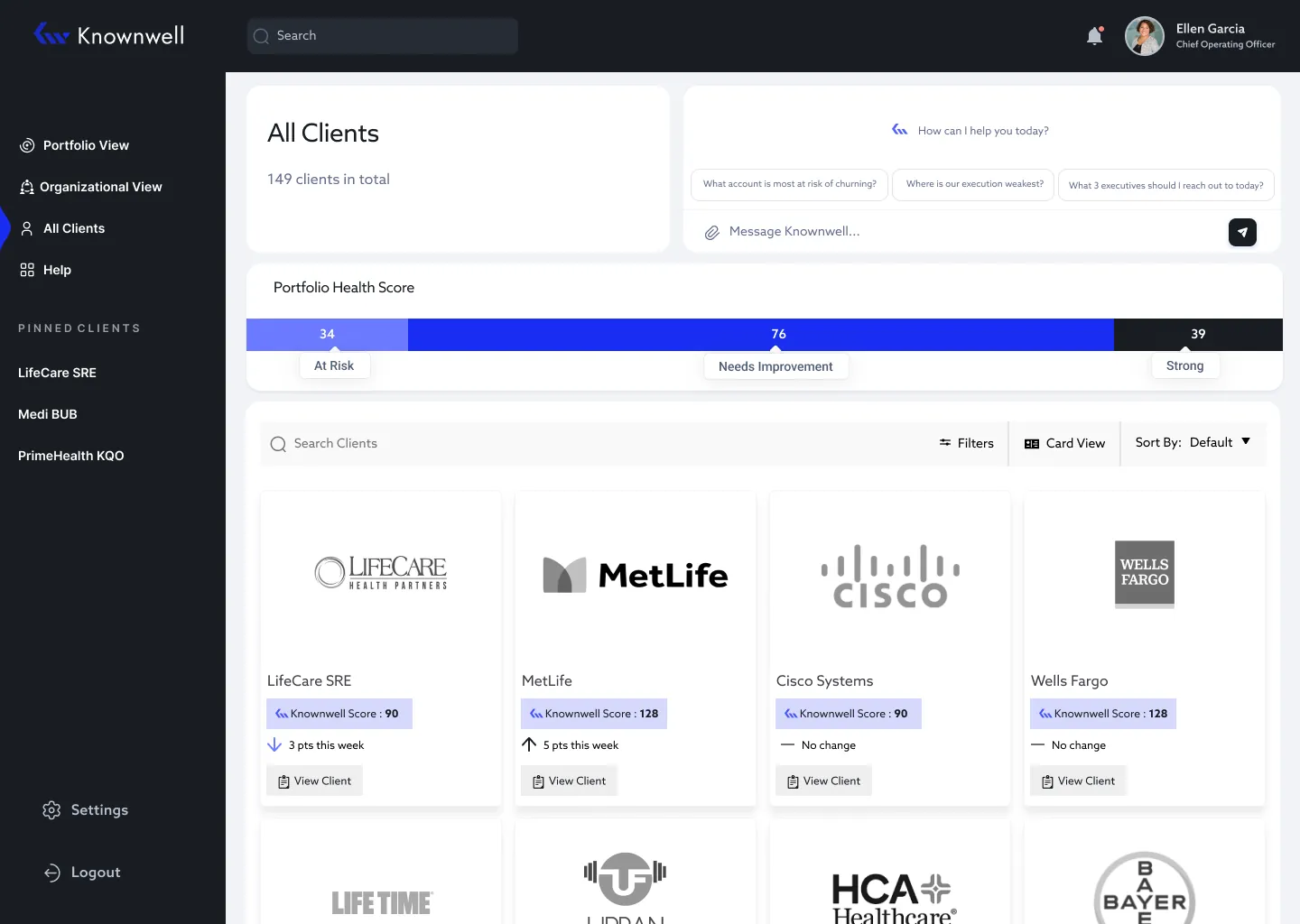
Tested with 50 participants at launch, who found it intuitive and easy to navigate. It covered four core flows: Portfolio View, All Clients, Client Detail and Search.
What I'd do next
Close the colour accessibility gap, then measure whether teams spend less time preparing for meetings.
NEXT CASE STUDYZenda →