CASE STUDY 03 · SOCIAL · MOBILE
Journey: help creators launch a paid community from day one.
Journey is a social app built around shared interests. I led the design of the community setup flow: how a creator builds, customizes and monetizes a community from scratch.
Creators couldn’t easily earn from their communities.
UX/UI designer, 8 weeks. Led the flow end to end.
- Monetization inside setup
- Explain, don’t hide
- Design out anxiety
- Fewer payment options
A seamless onboarding experience for creators.
the problem
Creators on Journey had no easy way to set up a community and earn from it. Without that, they had little reason to bring their audiences over.
my role
- A survey of 25 creators and 10 interviews
- Problem definition with the team
- The end-to-end setup flow
- Mid-fi wireframes and usability testing
- High-fidelity design and UX copy
- The design system
01RESEARCH
talk to the creators
Our opportunity: influencers and people already running WhatsApp and Facebook groups. I surveyed 25 and interviewed 10.
- Most found other platforms hard to monetize.
- Almost all wanted more ways to get paid.
- They wanted help running their community like a business.
02MAP THE FLOW
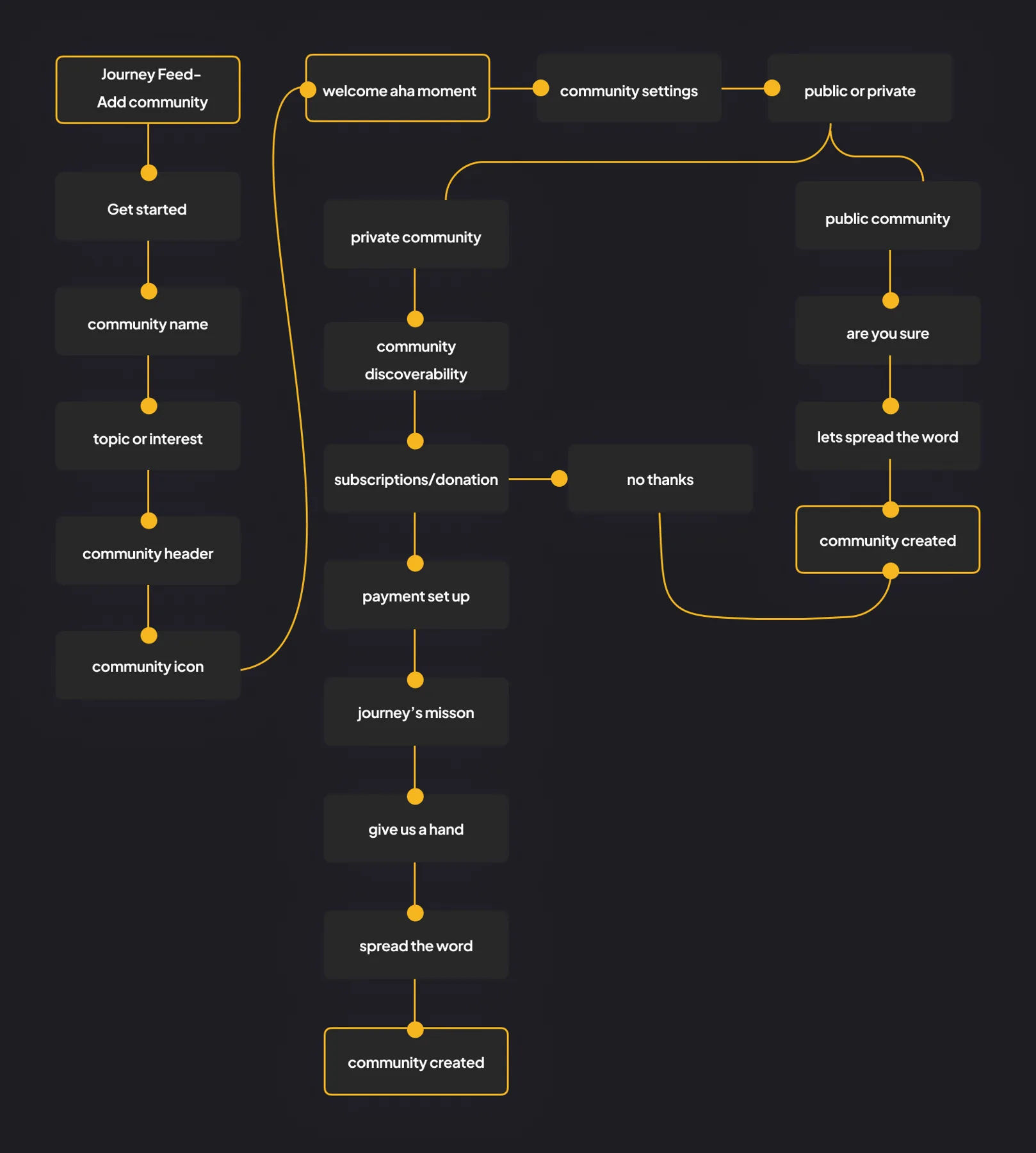
one guided flow, from idea to launch
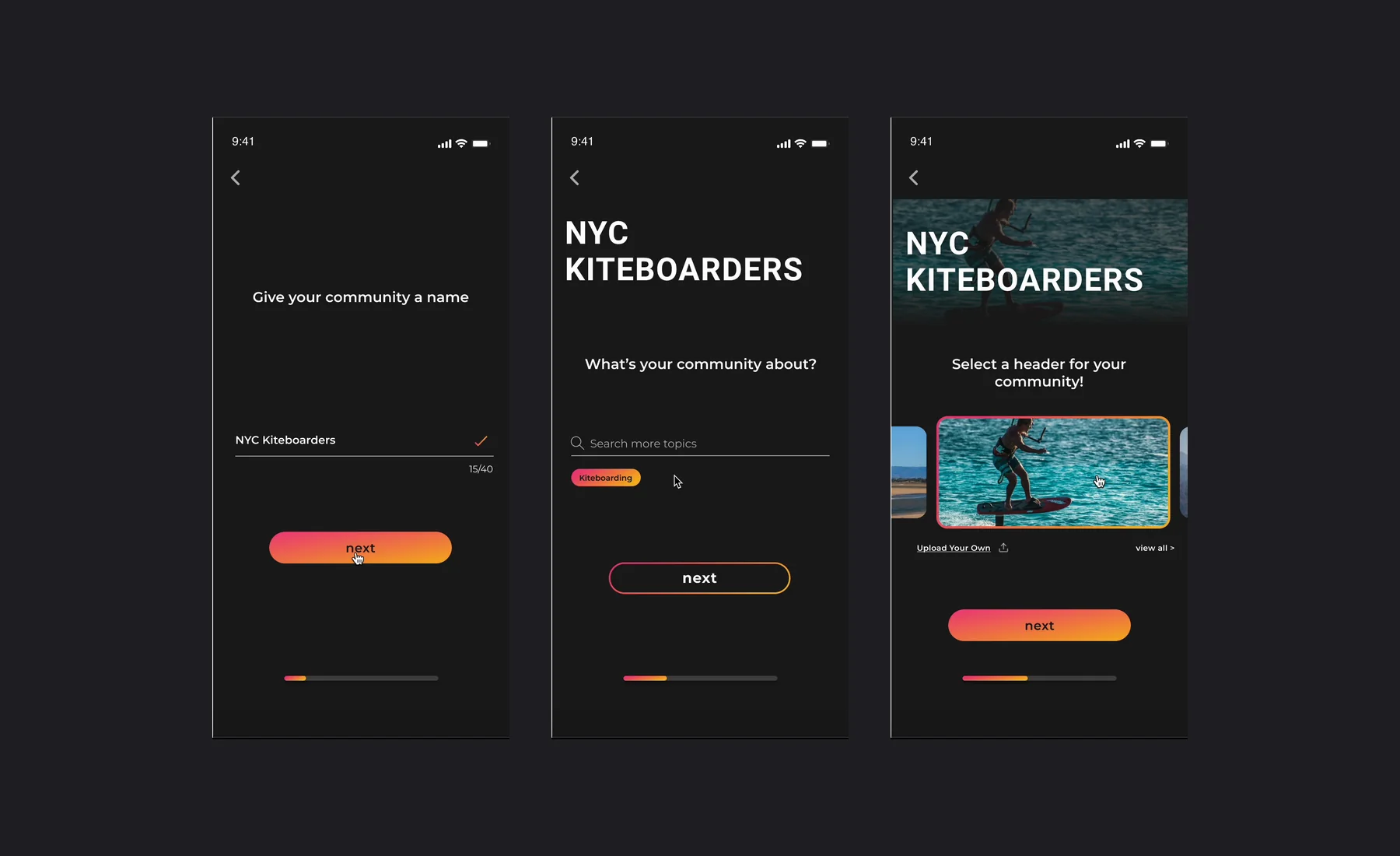
I mapped every step a creator takes, from naming the community to choosing privacy, setting up payments and inviting people.
03TEST MID-FI
watch people use it
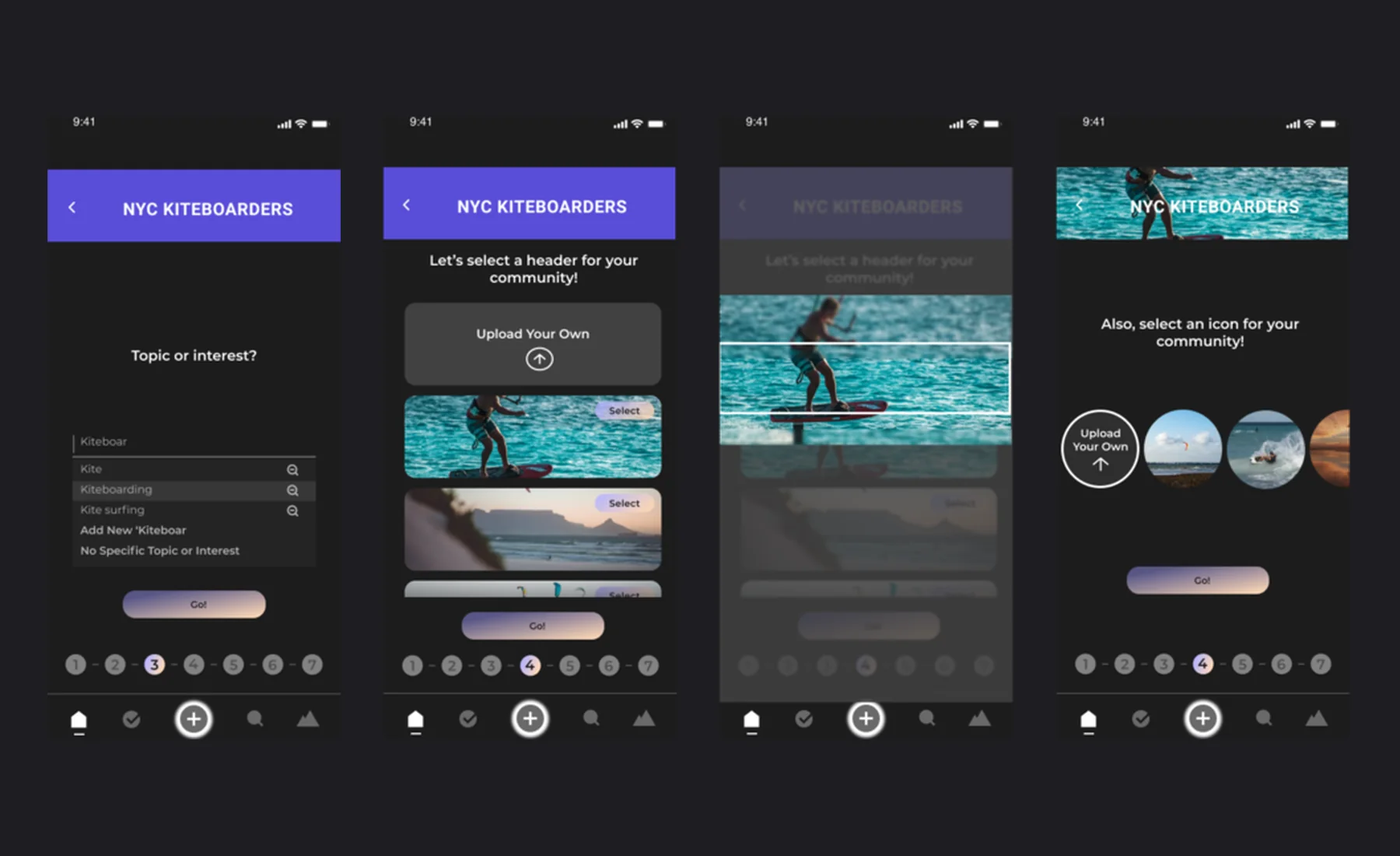
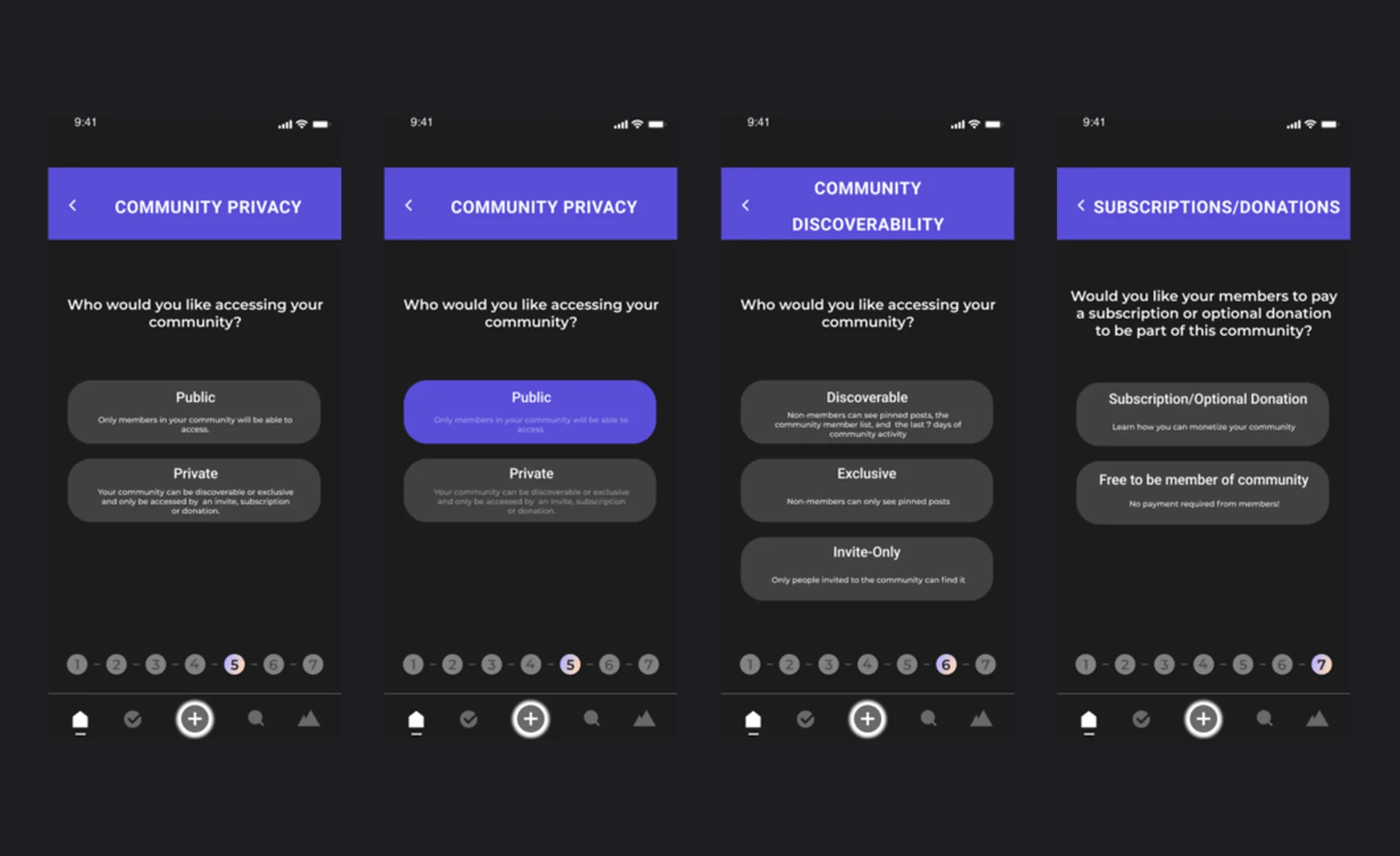
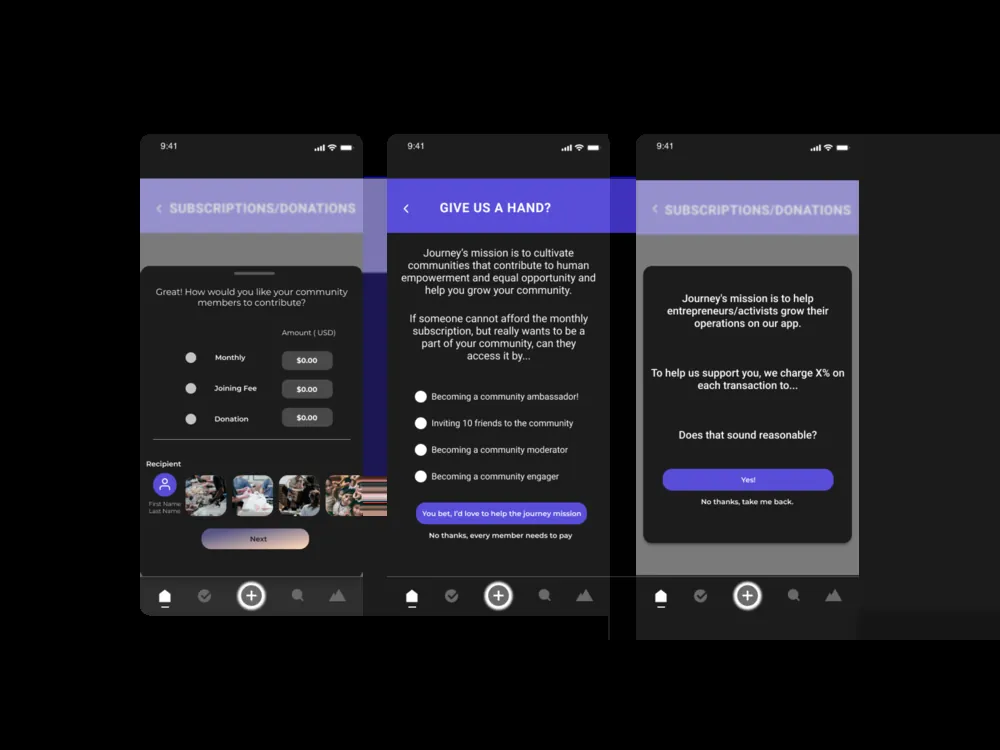
I built the flow in mid-fidelity and ran usability tests. People got stuck in the same places: privacy options, numbered steps that felt like paperwork, and a payment screen with too many choices.
04WHAT CHANGED
what testing changed
Put monetization inside setup, not after it
- THE INSIGHT
- Creators wanted help running their community like a business.
- WHAT I DID
- Made pricing part of setup: paid, tips or free, with a dropdown for context.
- WHY
- Creators can launch a paid community the same day.
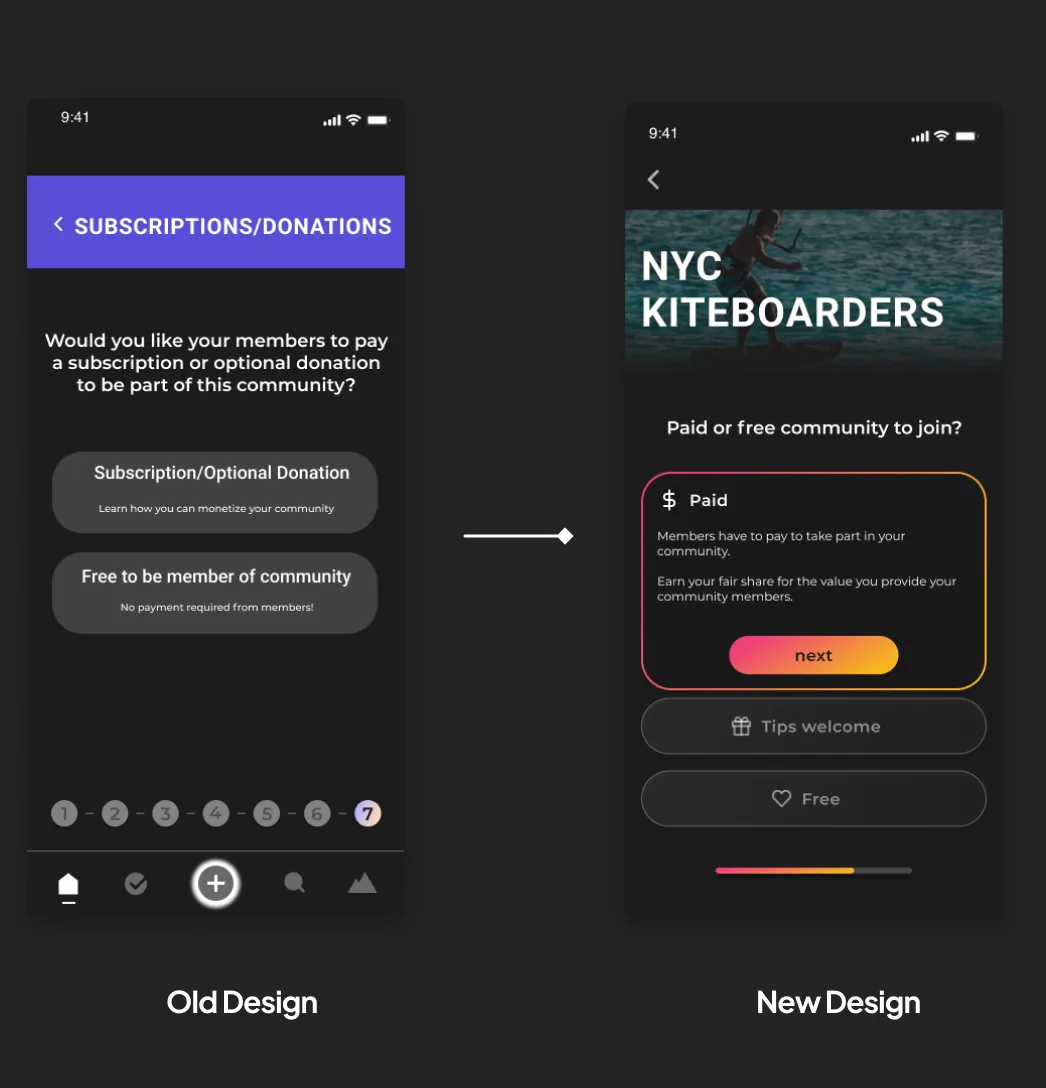
Explain choices instead of hiding them
- WHAT TESTING SHOWED
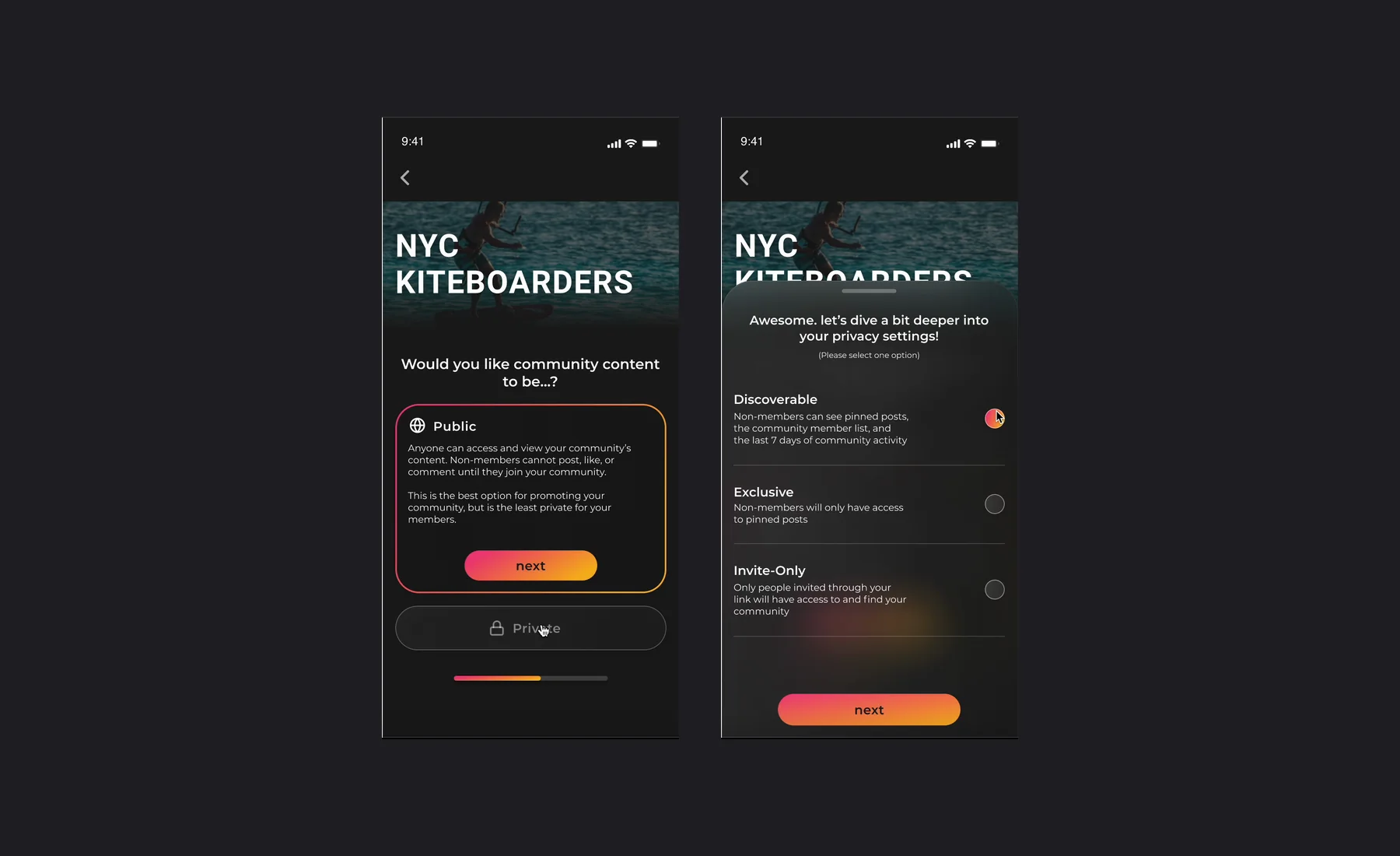
- Privacy was where people got stuck most, asking what each option meant.
- WHAT I DID
- Added a short explanation to each option and moved discoverability into a lighter drawer.
- THE BALANCE
- More detail, while keeping the screen minimal.
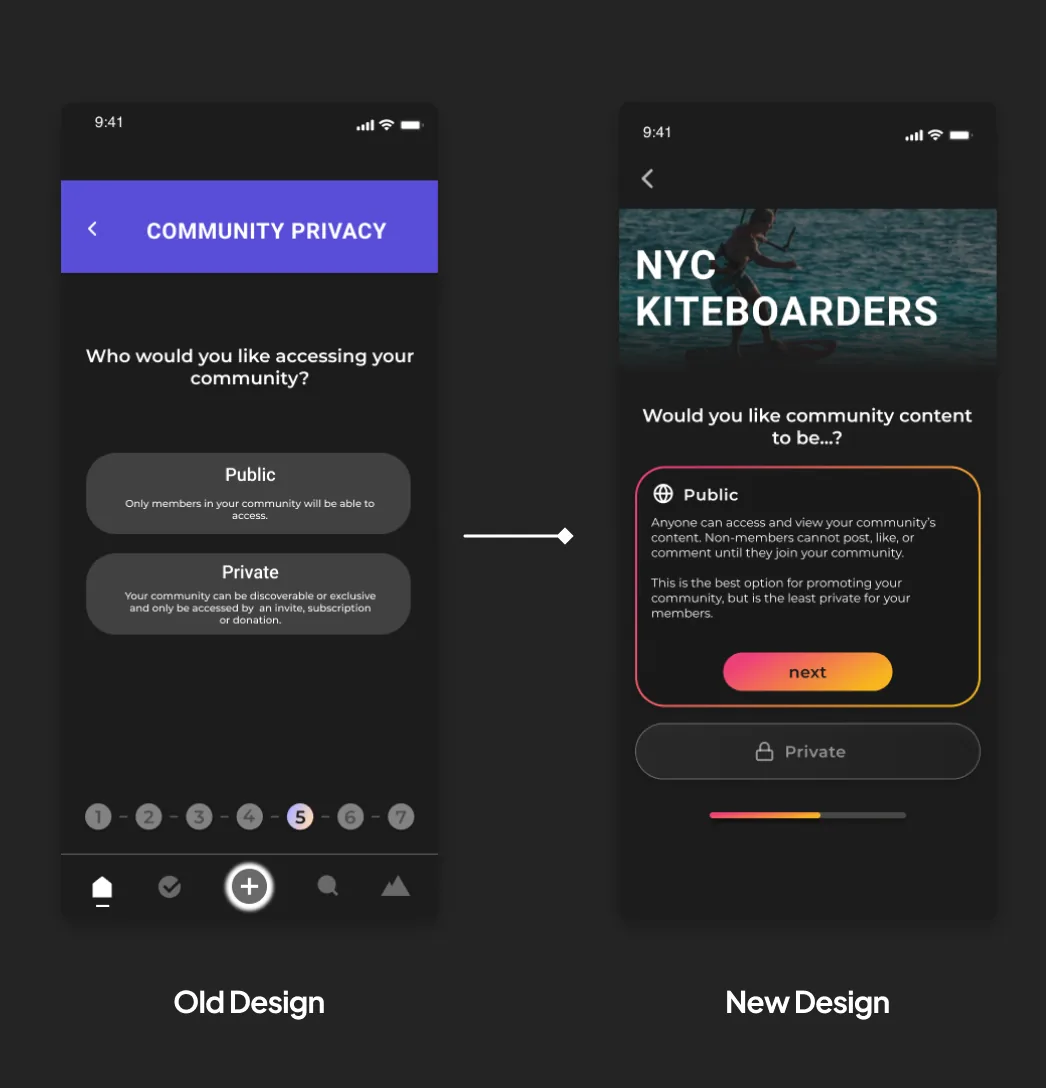
Design out anxiety
- WHAT TESTING SHOWED
- Numbered steps made people anxious, and the formal copy felt cold.
- WHAT I DID
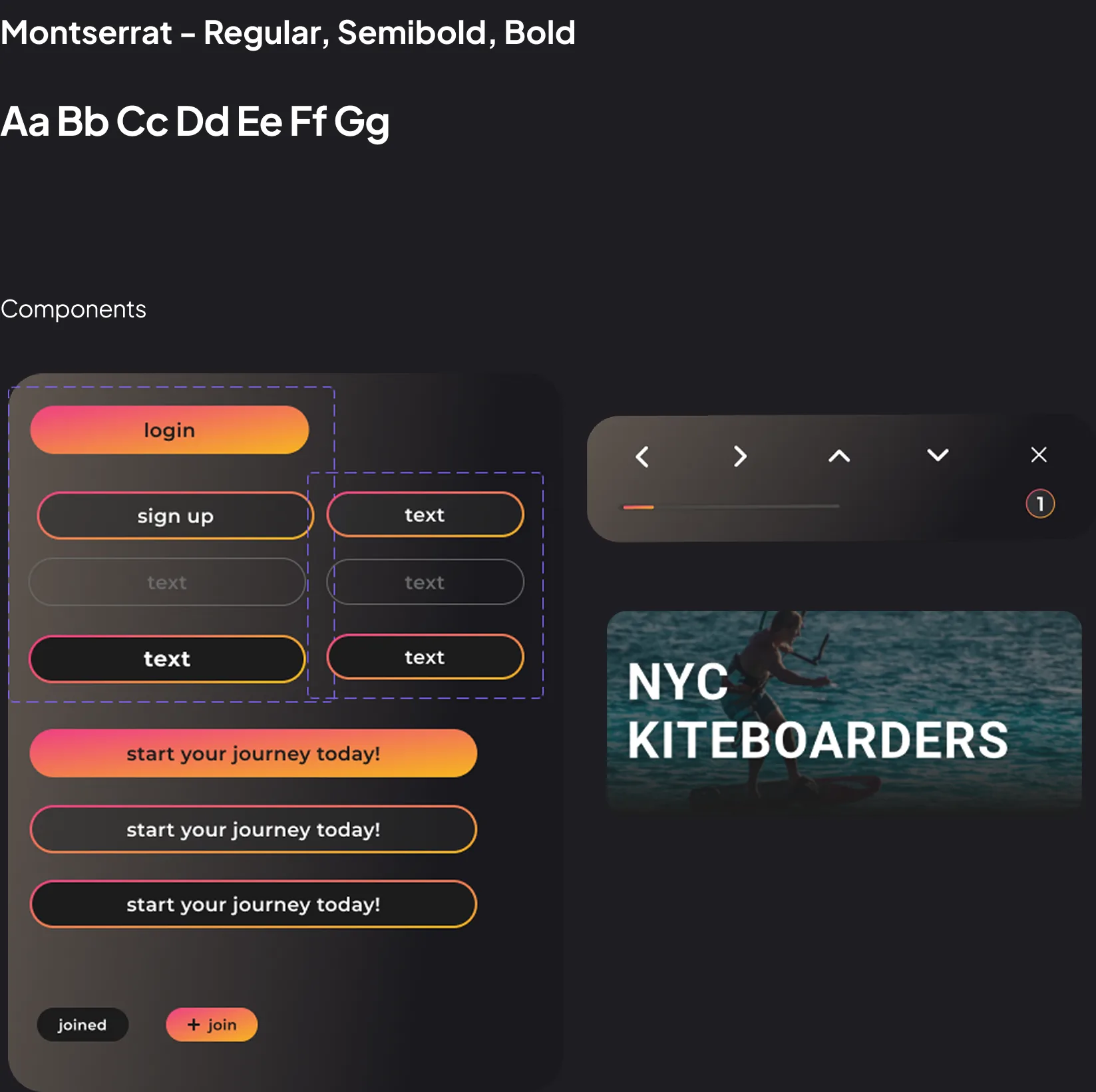
- Swapped numbers for a gradient bar and rewrote the copy to sound like a friend.
- WHY
- Setup should feel exciting, not like paperwork.
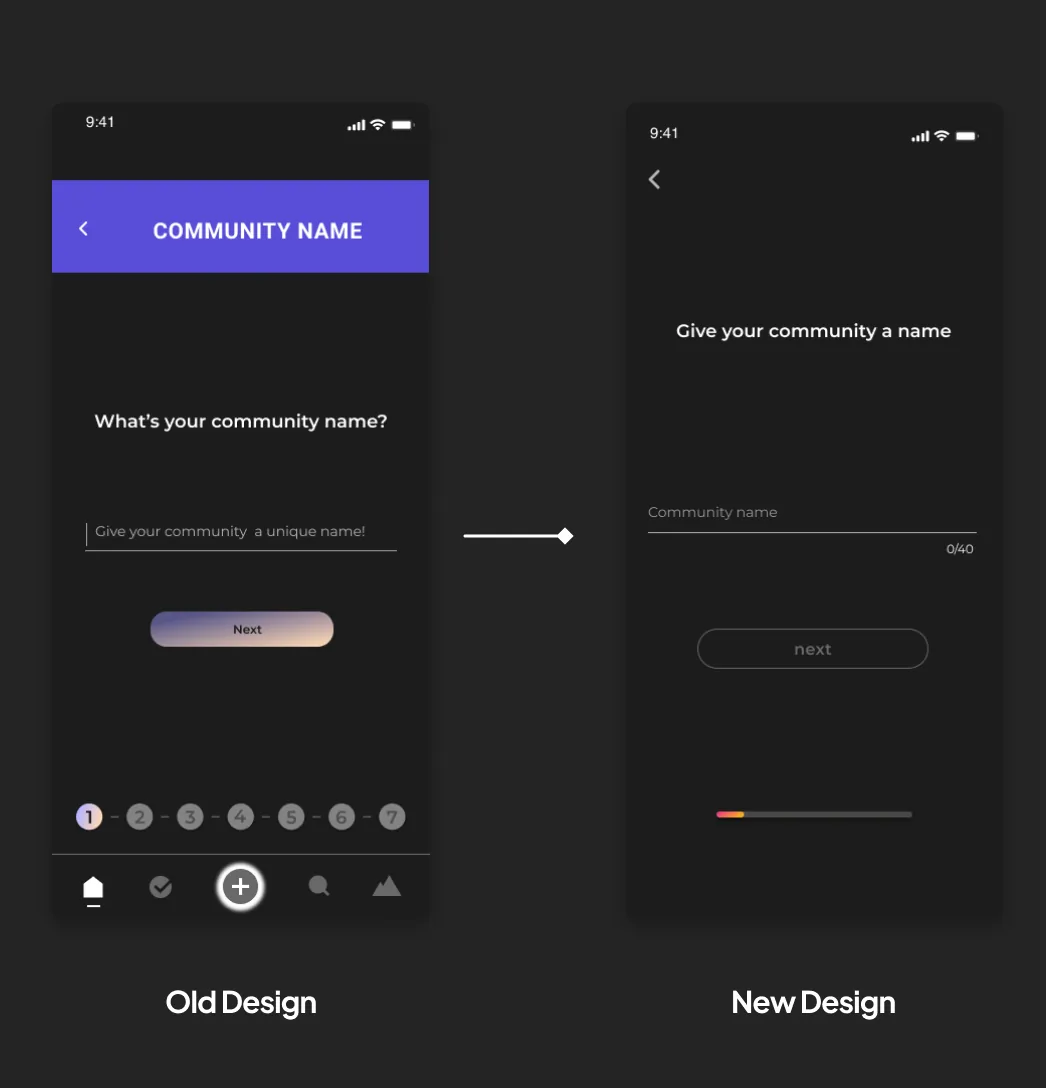
Cut options to make paying simple
- THE PROBLEM
- Mixing payments with charities made a simple choice complicated.
- WHAT I DID
- Cut charities and offered weekly, monthly or one-time payments, with a (?) for detail.
- THE TRADE-OFF
- Less on the screen, but a decision creators can make in seconds.
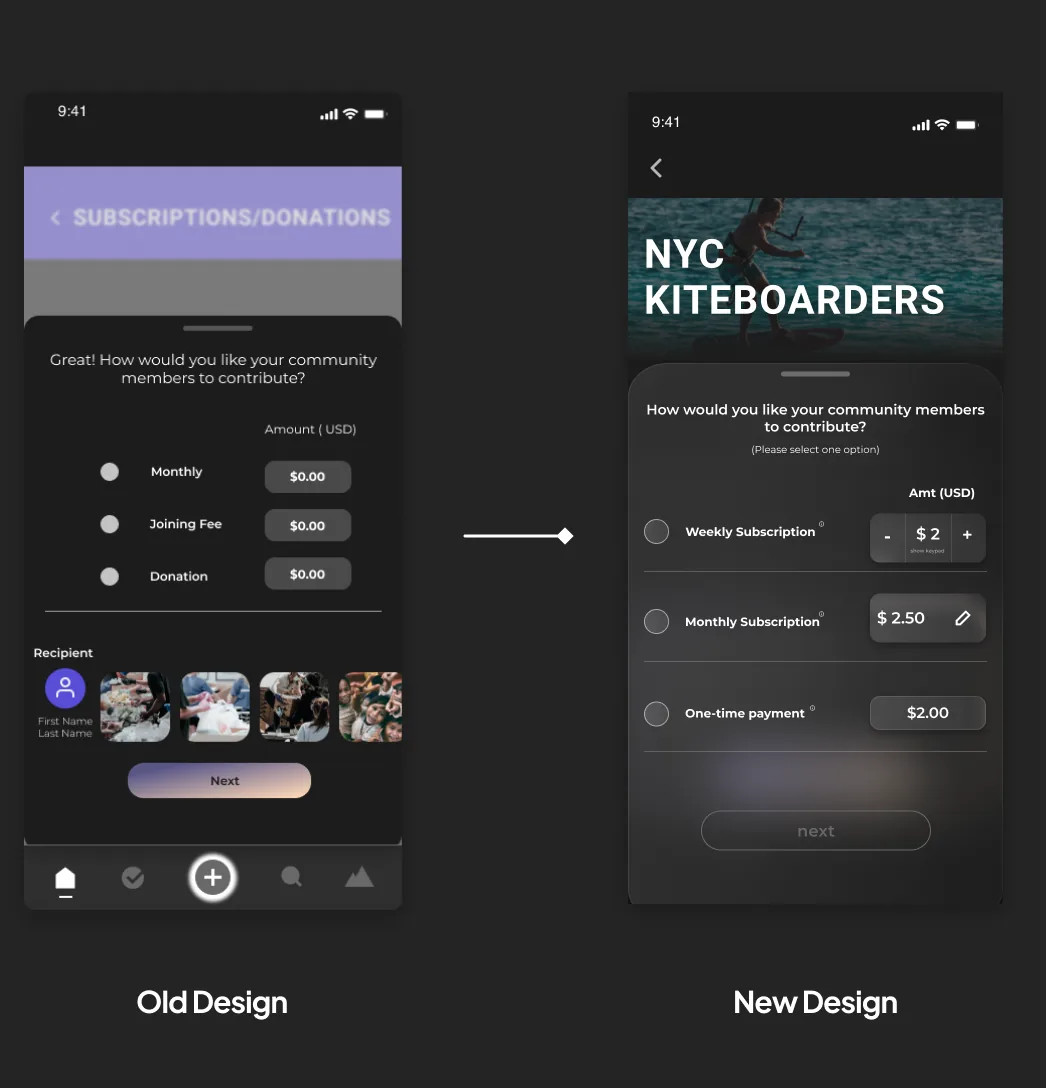
05FINAL DESIGNS
final designs
The mid-fidelity flow we tested, next to the final design.
Setting up the basics
Privacy and discoverability
Design system
outcome
The result is a seamless onboarding experience: one guided flow that takes a creator from idea to a launched, paid community, with monetization and customization built in from the start.
“Aish led the entire process.”Luke O’Brien, VP Growth & Marketing at Journey
What I learned
Research told us what to build: monetization had to be part of setup. Testing told us how: the refinements came from watching people get stuck on real screens. You need both. If it shipped, I’d measure how many creators finish setup and how many launch a paid community.
NEXT CASE STUDYKnownwell →